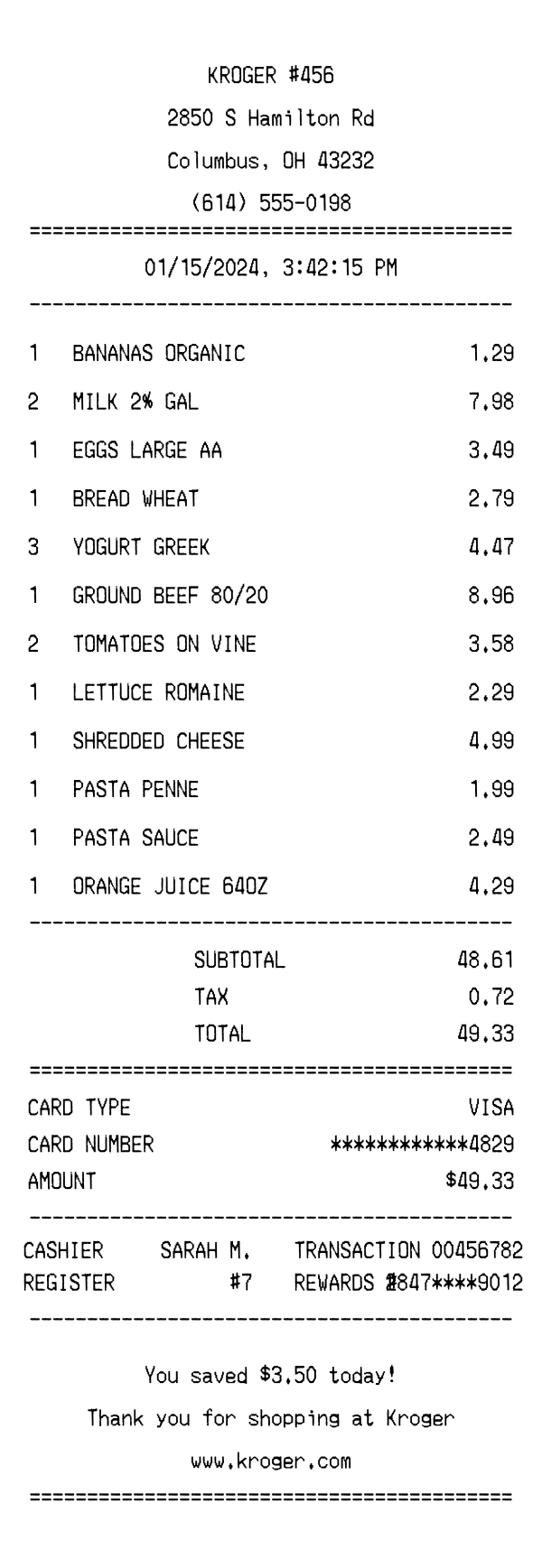
A realistic Kroger grocery receipt featuring itemized product lines, Kroger Plus rewards tracking, tax breakdown, and savings summary. Edit every field and download as a free PNG.
Use this template as a starting point or build from scratch.
Kroger is the largest supermarket chain in the United States by revenue, operating over 2,700 stores across 35 states under various banners. A Kroger receipt documents every grocery item purchased, along with tax calculations, payment details, and Kroger Plus loyalty rewards savings. Understanding the Kroger receipt format is useful for household budgeting, expense tracking, returns, and creating realistic mockups for app development or design projects. This template replicates the standard thermal paper receipt you'd receive at a Kroger checkout lane, complete with store identification, itemized groceries, and a savings summary.
The top of a Kroger receipt displays the store name in all caps, typically formatted as 'KROGER' followed by a store number (e.g., #456). Below the store name, the full street address, city, state, and ZIP code are printed, followed by the store's phone number. This header section is center-aligned and separated from the rest of the receipt by an equals-sign divider. The store number is a key identifier used for returns and customer service inquiries, as each Kroger location has a unique number tied to its region and division.
Kroger receipts include several pieces of transaction metadata displayed in a two-column layout. The cashier's first name and last initial (e.g., 'SARAH M.') and the register number identify who processed the transaction and at which lane. The transaction number is a unique 8-digit code used for returns, price adjustments, and customer service lookups. The Kroger Plus rewards card number is also printed, partially masked for security (e.g., '2847****9012'), confirming that loyalty discounts and fuel points were applied to the purchase.
Grocery items on a Kroger receipt are listed with a quantity, abbreviated product description, and price. Product names use standard grocery abbreviations like 'MILK 2% GAL' for a gallon of 2% milk or 'EGGS LARGE AA' for Grade AA large eggs. When multiple quantities are purchased, the quantity appears before the item name and the line price reflects the total for that quantity (e.g., '2 MILK 2% GAL 7.98' means two gallons at $3.99 each). Items are listed in the order they were scanned, without department grouping, which mirrors the real Kroger checkout experience.
The totals section on a Kroger receipt separates the subtotal, applicable tax, and final total. In Ohio (where this template is set), most grocery staples are tax-exempt, so the tax line is relatively low compared to the subtotal — in this example, only $0.72 on a $48.61 subtotal, reflecting tax on select non-exempt items. The payment section shows the card type (VISA), the last four digits of the card number masked for security, and the amount charged. Kroger also accepts debit, EBT, cash, and Kroger Pay as payment methods.
The footer of a Kroger receipt prominently displays the customer's total savings for that shopping trip (e.g., 'You saved $3.50 today!'), which reflects Kroger Plus card discounts and any digital coupon redemptions. A thank-you message reads 'Thank you for shopping at Kroger,' followed by the Kroger website URL. At the very bottom, a barcode encodes the transaction number and date, which store associates can scan for returns or price verifications. Some Kroger receipts also include survey invitations and fuel points summaries, depending on the store's region and promotion cycle.
| Feature | Kroger | Walmart | Safeway |
|---|---|---|---|
| Store identification | Store name with unique store number (e.g., KROGER #456) | Supercenter branding with store number and manager name | Store name with store number and district identifier |
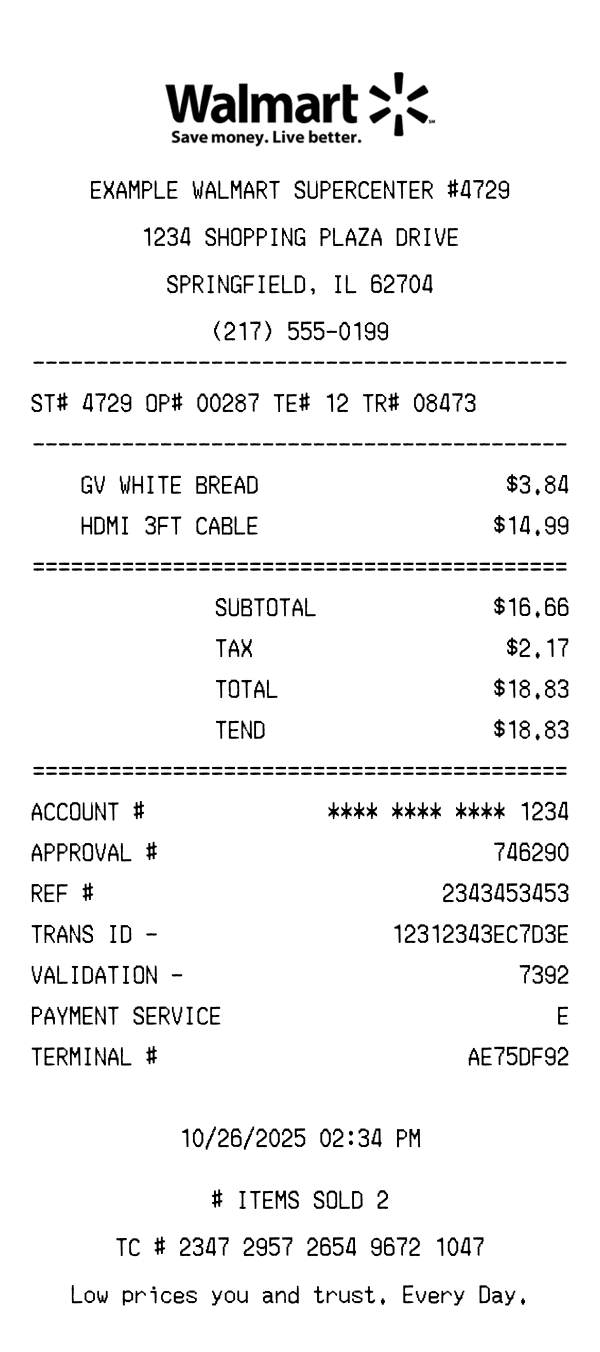
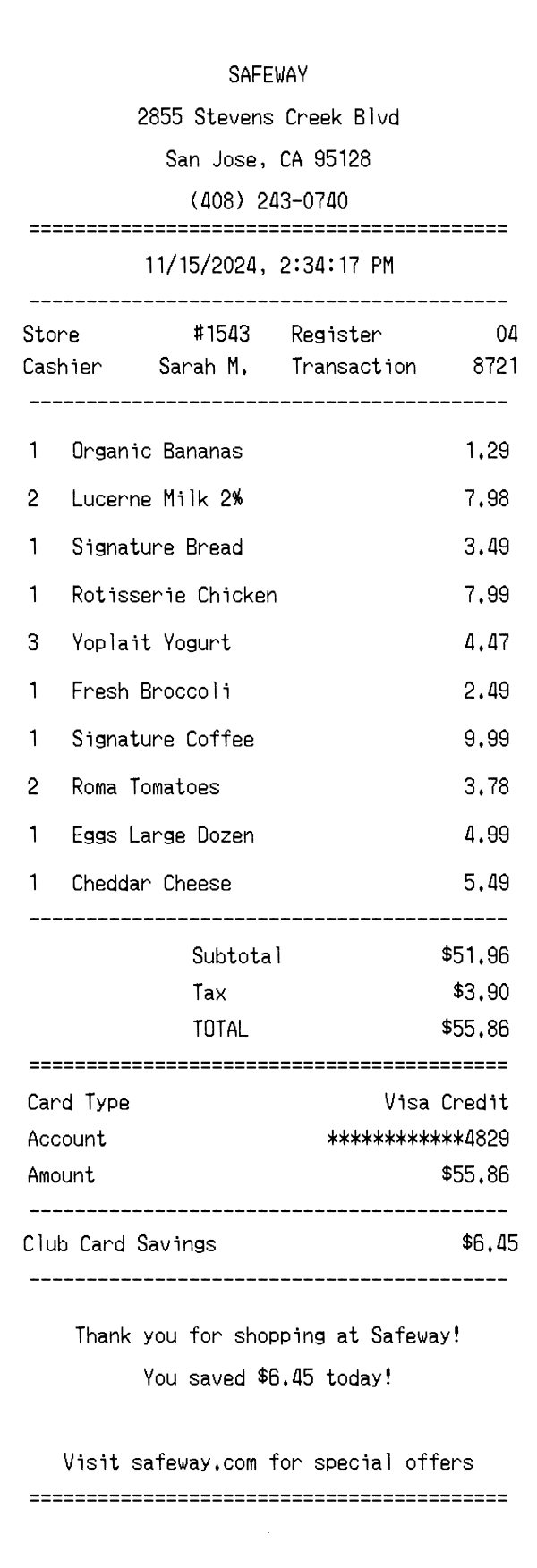
| Loyalty program | Kroger Plus card with fuel points and digital coupon savings | No traditional loyalty card; Walmart+ membership is separate | Safeway Club Card with Just for U personalized deals |
| Savings display | Total savings amount highlighted in footer (e.g., 'You saved $3.50 today!') | Rollback and price-match savings shown inline with items | Club Card savings itemized per product and totaled at bottom |
| Tax handling | Single tax line; most groceries tax-exempt by state law | Tax codes per item (T = taxable); separate tax lines by rate | Tax flags per item with combined tax total |
| Receipt footer | Savings summary, thank-you message, website URL, and barcode | TC number, return policy, survey invitation with sweepstakes | Rewards points summary, survey link, and return policy |
See also: Walmart Receipt Template · Safeway Receipt Template
Customize every detail — store info, items, prices, dates, and payment method. Download as PNG in seconds.