Explore a realistic QuikTrip receipt featuring fuel purchases, grab-and-go food items, rewards savings, and card payment details. Edit every field and download a free PNG.
Use this template as a starting point or build from scratch.
A QuikTrip receipt is the thermal paper slip issued at QuikTrip convenience stores and gas stations after purchasing fuel, food, drinks, or other merchandise. QuikTrip (commonly known as QT) operates over 1,000 locations across the southern and midwestern United States, and their receipts reflect a mix of fuel and in-store convenience items on a single transaction. Understanding the QuikTrip receipt format is useful for expense reporting — especially for mileage and fuel reimbursement — as well as for designers creating gas station mockups or developers testing point-of-sale systems. This template replicates the standard layout you'd receive at any QT location.
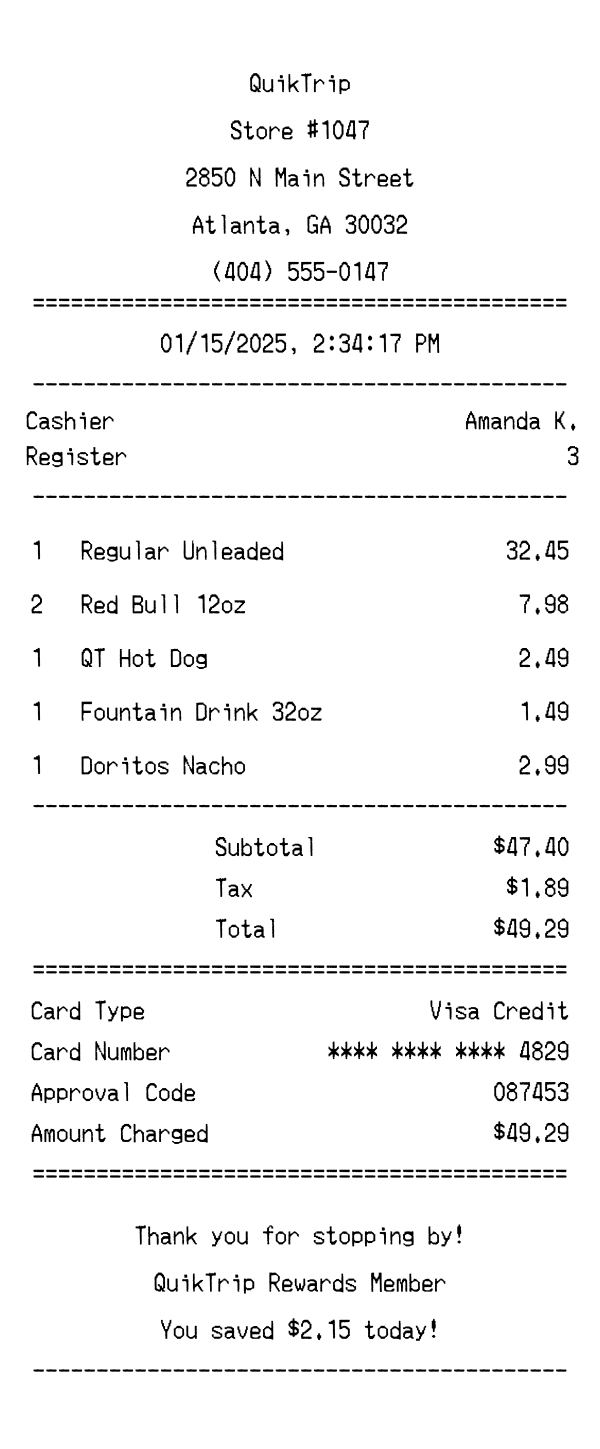
The top of a QuikTrip receipt displays the store name 'QuikTrip' prominently in the center, followed by the specific store number (e.g., Store #1047). Below that, the full street address is printed, including city, state, and ZIP code — in this case, 2850 N Main Street, Atlanta, GA 30032. The store's phone number appears on the next line, making it easy for customers to call with questions about their purchase. An equals-sign divider separates the header from the rest of the receipt, giving the layout a clean, structured look typical of thermal receipt printers.
Directly below the header, the date and time of the transaction are printed in a center-aligned format showing month/day/year and the exact time down to the second (e.g., 01/15/2025, 2:34:17 PM). The receipt then lists the cashier's name (such as 'Amanda K.'), the register number, the transaction number (prefixed with #), and the store phone number again for reference. These identifiers are critical for returns, disputes, or matching receipts against bank statements. The transaction number combined with the store number creates a unique reference for each purchase.
Items on a QuikTrip receipt are listed in a straightforward quantity-name-price format. Fuel purchases like 'Regular Unleaded' appear as a single line item with the total dollar amount for the fill-up rather than a per-gallon breakdown on the main receipt. Convenience store items such as 'Red Bull 12oz,' 'QT Hot Dog,' 'Fountain Drink 32oz,' and 'Doritos Nacho' are each listed individually with their quantity and price. When multiples of the same item are purchased — like two Red Bulls — the quantity is noted and the combined price is shown. QT's own branded food items (like QT Hot Dog) are clearly labeled as house products.
The totals section of a QuikTrip receipt begins with the subtotal of all items before tax, followed by the calculated tax amount based on the state and local rates applicable to the store's location. The total represents the final amount charged to the customer. In this example, a $47.40 subtotal plus $1.89 in tax yields a $49.29 total. The payment section specifies the card type (Visa Credit), a masked card number showing only the last four digits for security, an approval code from the payment processor, and the exact amount charged. An equals-sign divider frames this section for clarity.
The footer of a QuikTrip receipt includes a friendly 'Thank you for stopping by!' message, reinforcing the brand's customer-first reputation. If the customer is enrolled in QuikTrip Rewards, the receipt notes their membership status and displays the amount saved on that transaction (e.g., 'You saved $2.15 today!'). At the very bottom, a barcode is printed encoding the store number, transaction number, and date — this can be scanned for returns or reward lookups. The barcode data string (such as '1047004521012025') combines these identifiers into a single scannable reference.
| Feature | QuikTrip | 7-Eleven | Starbucks |
|---|---|---|---|
| Store type | Convenience store & gas station with branded food | Convenience store chain, some locations with fuel | Specialty coffee shop with food items |
| Fuel purchases | Fuel listed as a line item with total dollar amount | Some locations include fuel; format varies | Not applicable — no fuel sales |
| Loyalty program | QuikTrip Rewards with savings displayed on receipt | 7Rewards program with points balance | Starbucks Rewards with stars earned per transaction |
| Receipt format | Thermal paper with barcode at bottom | Thermal paper with promotional coupons | Thermal paper, typically shorter with fewer items |
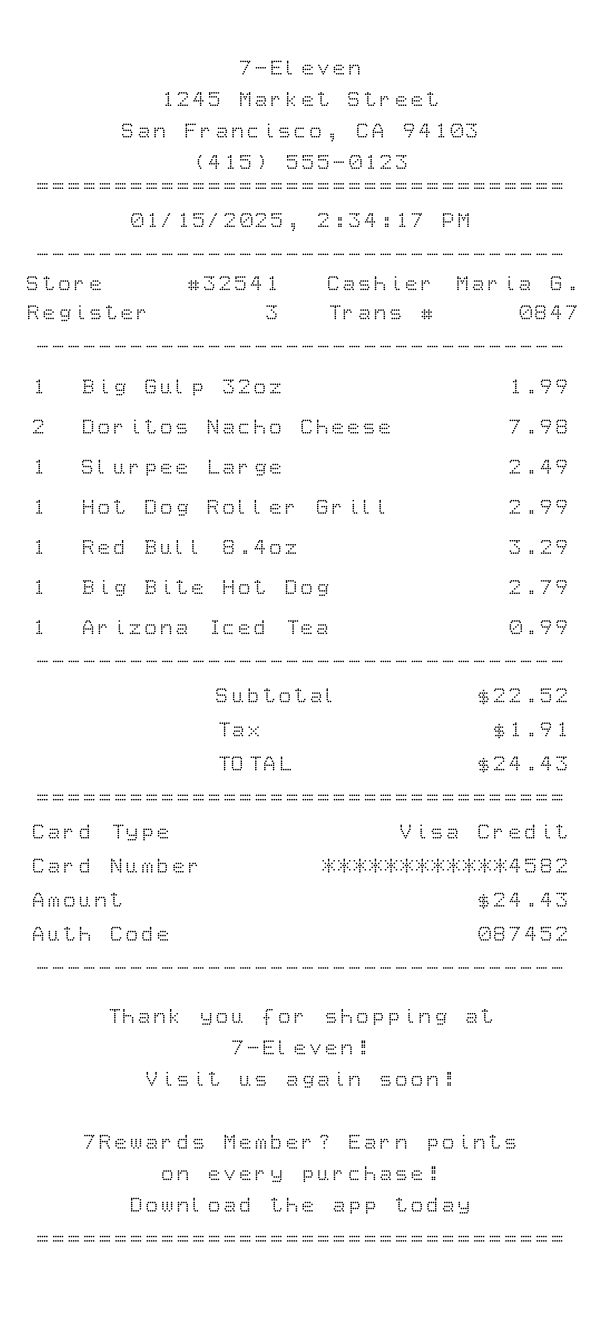
| Food item branding | House-branded items like 'QT Hot Dog' and fountain drinks | Branded items like Slurpee and Big Bite | Proprietary drink names with size and customization details |
See also: 7-Eleven Receipt Template · Starbucks Receipt Template
Customize every detail — store info, items, prices, dates, and payment method. Download as PNG in seconds.