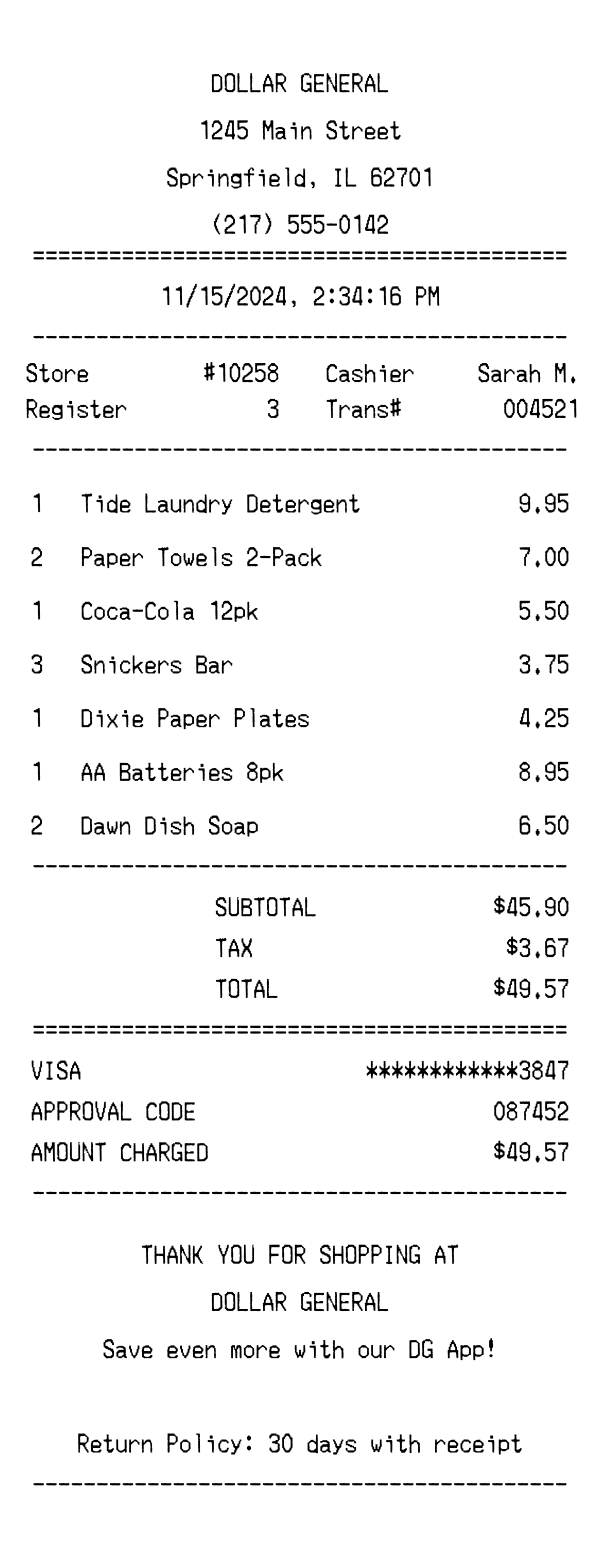
Explore a realistic Dollar General receipt featuring store and register details, itemized product lines with quantities, tax breakdown, Visa card payment info, and a barcode. Edit every field and download as a free PNG.
Use this template as a starting point or build from scratch.
A Dollar General receipt is the thermal paper slip you receive after purchasing everyday essentials at one of the chain's thousands of small-format discount stores. Understanding the layout of a Dollar General receipt is useful for tracking household spending, filing expense reports, or building realistic mockups for app development and design projects. This template replicates the standard Dollar General receipt format, including the centered store header, two-column transaction metadata, itemized product list, tax summary, and Visa card payment block. Whether you need a reference for budgeting tools or a placeholder receipt for UI testing, this example covers every section you'd find on an actual Dollar General slip.
The top of a Dollar General receipt displays the store name 'DOLLAR GENERAL' in bold, centered text, followed by the full street address, city, state, and ZIP code. A store phone number appears directly below the address, giving customers a way to contact the location for questions about purchases or returns. The header is separated from the rest of the receipt by an equals-sign divider, a common formatting convention on Dollar General thermal prints. There are no logos printed on the thermal receipt — the branding relies entirely on the store name in uppercase lettering.
Immediately below the centered date and time stamp, Dollar General receipts present transaction metadata in a clean two-column layout. The left column shows the store number (e.g., #10258) and register number, while the right column displays the cashier's name and a sequential transaction number. This metadata is essential for returns and customer service inquiries, as Dollar General associates use the store number and transaction number to look up purchases. The date and time are printed in a standard MM/DD/YYYY format with a 12-hour timestamp including seconds.
Products on a Dollar General receipt are listed with a quantity prefix, item description, and line total on the right side. When multiple units of the same item are purchased — such as '2 Paper Towels 2-Pack' — the quantity is shown at the beginning of the line and the price reflects the total for that quantity. Item names are typically abbreviated to fit the thermal paper width, using common shorthand like '12pk' for twelve-packs. The item block is enclosed between dash dividers, clearly separating the product list from the transaction details above and the totals below.
The totals section on a Dollar General receipt begins with a SUBTOTAL line showing the pre-tax sum of all items, followed by a single TAX line that represents the combined state and local sales tax. The TOTAL line displays the final amount charged. Below the equals-sign divider, the payment block identifies the card type (e.g., VISA), a masked card number showing only the last four digits, an approval code from the card processor, and the exact amount charged. Dollar General does not typically print separate tax rate breakdowns — just the single calculated tax amount.
The footer of a Dollar General receipt includes a centered thank-you message reading 'THANK YOU FOR SHOPPING AT DOLLAR GENERAL,' followed by a prompt to download the DG App for additional savings. The return policy is printed below, noting that returns are accepted within 30 days with a receipt — a critical detail for customers to reference later. A machine-readable barcode appears at the very bottom, encoding the transaction number, store number, and date into a scannable format. This barcode allows associates to quickly pull up the transaction during returns or exchanges without manually entering details.
| Feature | Dollar General | Family Dollar | Walmart |
|---|---|---|---|
| Store format | Small-format discount store, typically under 10,000 sq ft | Small-format discount store, similar footprint to Dollar General | Large supercenter format with full grocery, electronics, and pharmacy departments |
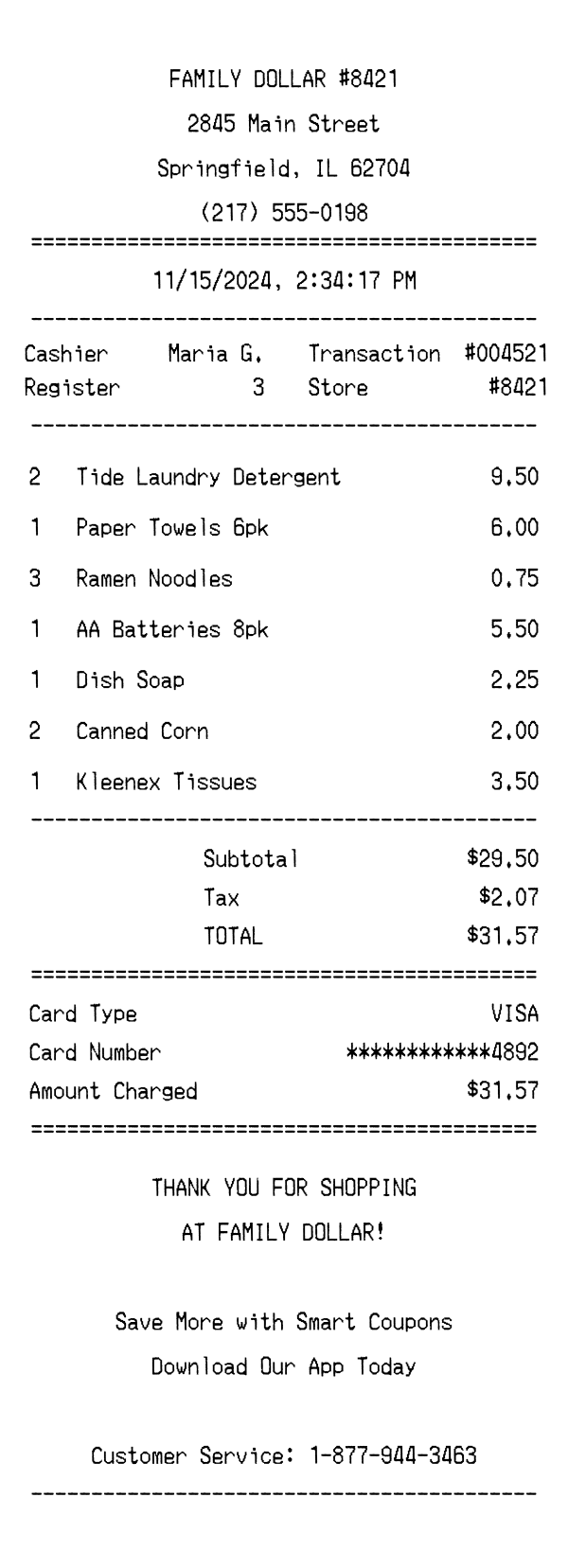
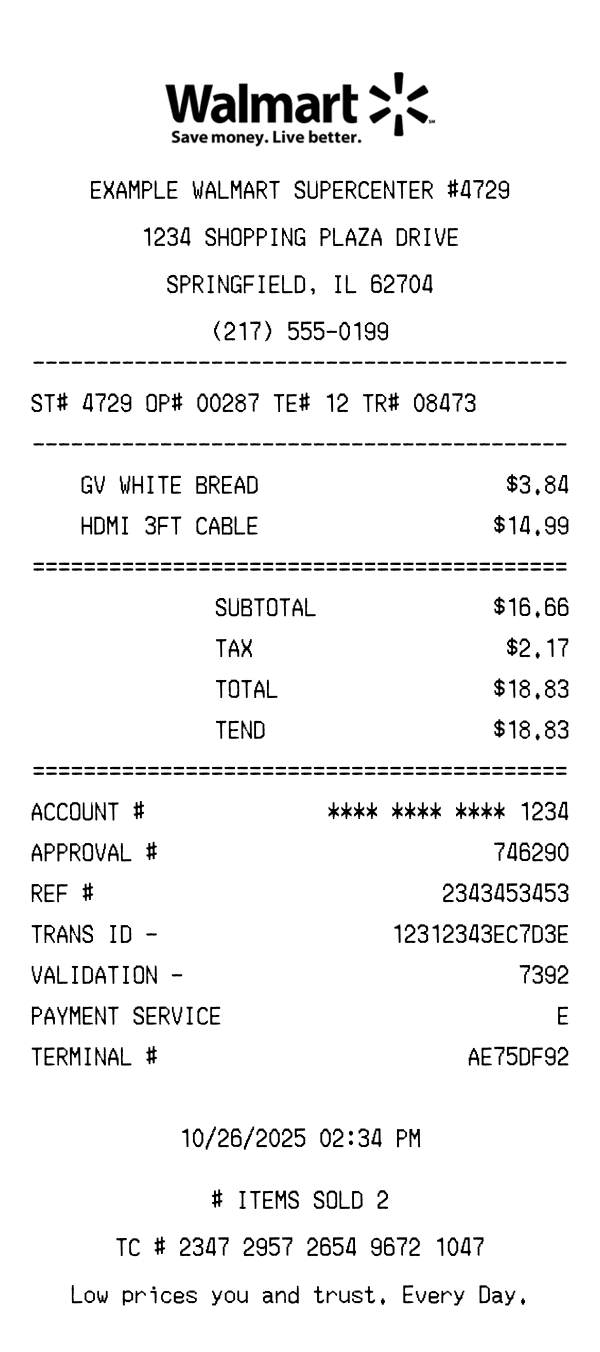
| Receipt header style | Centered text-only header with store name, address, and phone number | Centered header with store name and address; similar plain-text format | Includes Walmart logo, store number, address, and manager name on some receipts |
| Tax display | Single combined TAX line with no rate breakdown | Single tax line, similar to Dollar General's simplified format | May show multiple tax rates (e.g., food vs. general merchandise) with separate tax lines |
| Loyalty / savings program | Promotes DG App in the footer for digital coupons and savings | Smart Coupons program with digital coupon clipping | Walmart+ membership; Savings Catcher was discontinued |
| Return policy on receipt | 30-day return window printed in the footer | 30-day return policy, similar terms to Dollar General | 90-day return policy printed on receipt with some category exceptions |
See also: Family Dollar Receipt Template · Walmart Receipt Template
Customize every detail — store info, items, prices, dates, and payment method. Download as PNG in seconds.