Explore a realistic Family Dollar receipt featuring itemized household essentials, tax breakdown, VISA card payment details, and Smart Coupons messaging. Edit every field and download as a free PNG.
Use this template as a starting point or build from scratch.
A Family Dollar receipt is the thermal paper slip issued at checkout in any of the chain's thousands of discount variety stores across the United States. The receipt documents every item purchased, applicable sales tax, and the payment method used. Understanding the Family Dollar receipt format is useful for personal budgeting, expense tracking, returns and exchanges, and creating realistic mockups for design or software testing. This template replicates the standard layout you'd receive at a Family Dollar register, complete with store number, cashier identification, and the barcode used for transaction lookups.
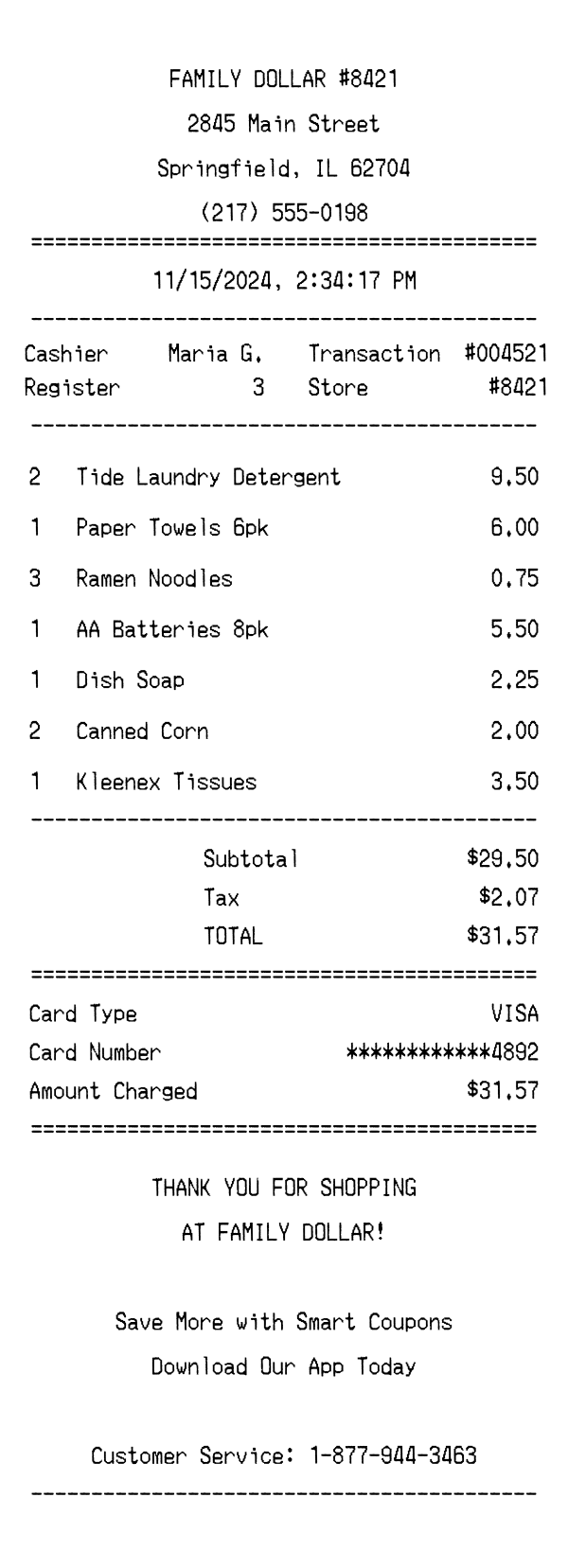
The top of a Family Dollar receipt displays the store name in bold, centered text — typically formatted as 'FAMILY DOLLAR' followed by the store number (e.g., #8421). Directly below, the full street address, city, state, and ZIP code are printed, along with the store's phone number. This header block is separated from the rest of the receipt by an equals-sign divider, a formatting convention common across Family Dollar locations. The store number in the header matches the one repeated in the transaction details section, providing a quick reference for customer service inquiries.
Below the header, the date and time of the transaction are printed in a centered format showing month, day, year, and a precise timestamp down to the second. A two-column metadata section follows, listing the cashier name (e.g., Maria G.), register number, transaction number (e.g., #004521), and a repeated store number. These identifiers are critical for processing returns or filing complaints, as Family Dollar associates use the transaction number and store number to look up specific purchases in their POS system.
Items on a Family Dollar receipt are listed with a quantity, product name, and unit price on each line. Product descriptions tend to be brief but recognizable — for example, 'Paper Towels 6pk' or 'AA Batteries 8pk' — reflecting the no-frills, value-oriented branding of the store. When quantities exceed one, the quantity appears at the start of the line and the price shown is the per-unit cost. Common categories include household cleaning supplies, pantry staples, paper goods, and batteries, reflecting the typical Family Dollar product mix. The item section ends with a dash divider before the totals.
The totals section begins with a subtotal summing all item lines, followed by a single tax line. In this example, Illinois sales tax is applied at roughly 7% on taxable goods, yielding a tax amount of $2.07 on a $29.50 subtotal. The bolded TOTAL line shows the final amount charged — $31.57. An equals-sign divider separates the totals from the payment block, which identifies the card type (VISA), a masked card number showing only the last four digits (************4892), and the exact amount charged to the card.
The footer of a Family Dollar receipt features a centered thank-you message reading 'THANK YOU FOR SHOPPING AT FAMILY DOLLAR!' followed by a promotional nudge encouraging customers to download the Family Dollar app for Smart Coupons savings. A customer service phone number (1-877-944-3463) is also provided for post-purchase support. At the very bottom, a barcode encodes the store number, transaction number, and date into a scannable format used for returns, exchanges, and transaction verification at the register.
| Feature | Family Dollar | Walmart | Dollar Tree (7-Eleven) |
|---|---|---|---|
| Store header format | Store name with # number, full address, and phone number centered | Walmart logo area, Supercenter designation, full address with manager name | Store name with location number, address, and franchise info |
| Item line detail | Quantity, short product name, and per-unit price | SKU/UPC codes, department letters, and tax flags per item | Simple item name with price, minimal detail |
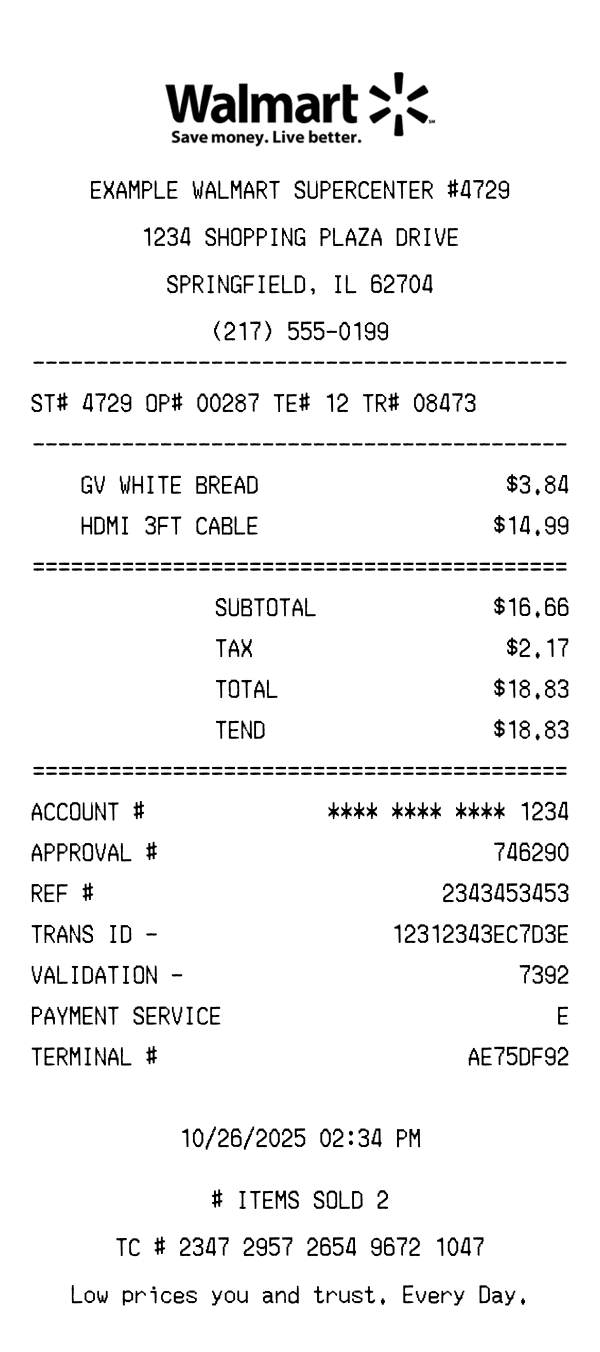
| Tax display | Single combined tax line after subtotal | Tax broken out by rate with tax code legend at bottom | Single tax line, varies by jurisdiction |
| Loyalty / coupons | Smart Coupons app promo in footer, no in-line loyalty tracking | Walmart+ savings and Spark rewards integrated on receipt | 7Rewards points and promotions printed in footer |
| Barcode content | Barcode encoding store number, transaction ID, and date | TC number barcode for Walmart Pay and returns | Barcode with transaction reference for returns |
See also: Walmart Receipt Template · Dollar Tree (7-Eleven) Receipt Template
Customize every detail — store info, items, prices, dates, and payment method. Download as PNG in seconds.