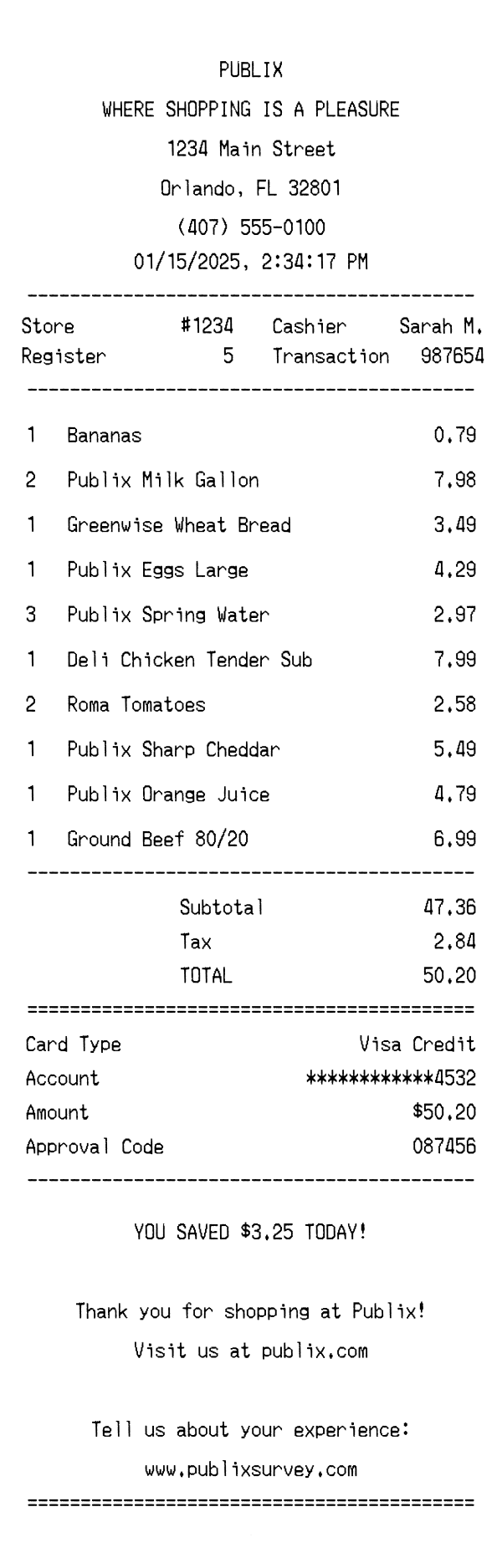
Explore a realistic Publix receipt featuring store-brand items, deli orders, savings totals, and survey details. Edit every field — from store number to item prices — and download a free PNG.
Use this template as a starting point or build from scratch.
A Publix receipt is the standard thermal paper printout you receive after checking out at any Publix Super Markets location across the southeastern United States. It documents every grocery item purchased, applicable taxes, payment method, and savings earned during the trip. Understanding the Publix receipt format is useful for expense tracking, grocery budgeting, returns and exchanges, and verifying BOGO or sale pricing. This template replicates the authentic layout, making it ideal for design mockups, app development testing, or personal record-keeping.
The top of a Publix receipt prominently displays the store name 'PUBLIX' in bold centered text, followed by the iconic tagline 'WHERE SHOPPING IS A PLEASURE.' Below the tagline, the full store address appears — including street, city, state, and ZIP code — along with the store's phone number. This header section is center-aligned in a monospaced font typical of thermal receipt printers. Publix keeps the header clean and brand-consistent across all locations, making it instantly recognizable.
Directly below the header, the receipt prints the transaction date and time in MM/DD/YYYY format with a 12-hour timestamp. A two-column metadata section follows, listing the store number (e.g., #1234), register number, cashier name, and transaction ID. The cashier field typically shows a first name and last initial, such as 'Sarah M.' These identifiers are essential for returns, customer service inquiries, and matching receipts to specific store visits.
Items are listed line by line with quantity, product name, and total price for that line. Publix uses descriptive product names that often include the brand — for example, 'Publix Milk Gallon' or 'Greenwise Wheat Bread' for their store-brand and organic lines. Deli counter items like the iconic 'Deli Chicken Tender Sub' appear alongside standard grocery items. Multi-quantity purchases display the total for all units on a single line (e.g., 3 × Publix Spring Water at $2.97). Produce items like bananas and Roma tomatoes are listed with their calculated price based on weight or per-item pricing.
After the item list, the receipt shows a subtotal of all items before tax. Florida sales tax is applied to taxable items — notably, most unprepared grocery items are tax-exempt in Florida, while prepared deli items and certain beverages may be taxed. The total line appears in bold or capitalized text as 'TOTAL.' The payment section specifies the card type (e.g., Visa Credit), a masked account number showing only the last four digits, the charged amount, and an approval code from the card processor.
The footer opens with a savings summary line — 'YOU SAVED $3.25 TODAY!' — highlighting discounts from sales, BOGO deals, or digital coupons. A thank-you message follows: 'Thank you for shopping at Publix!' along with the website URL publix.com. Publix also includes a customer satisfaction survey prompt directing shoppers to www.publixsurvey.com, where they can provide feedback on their experience. A barcode at the very bottom encodes the transaction data for returns and digital record lookups.
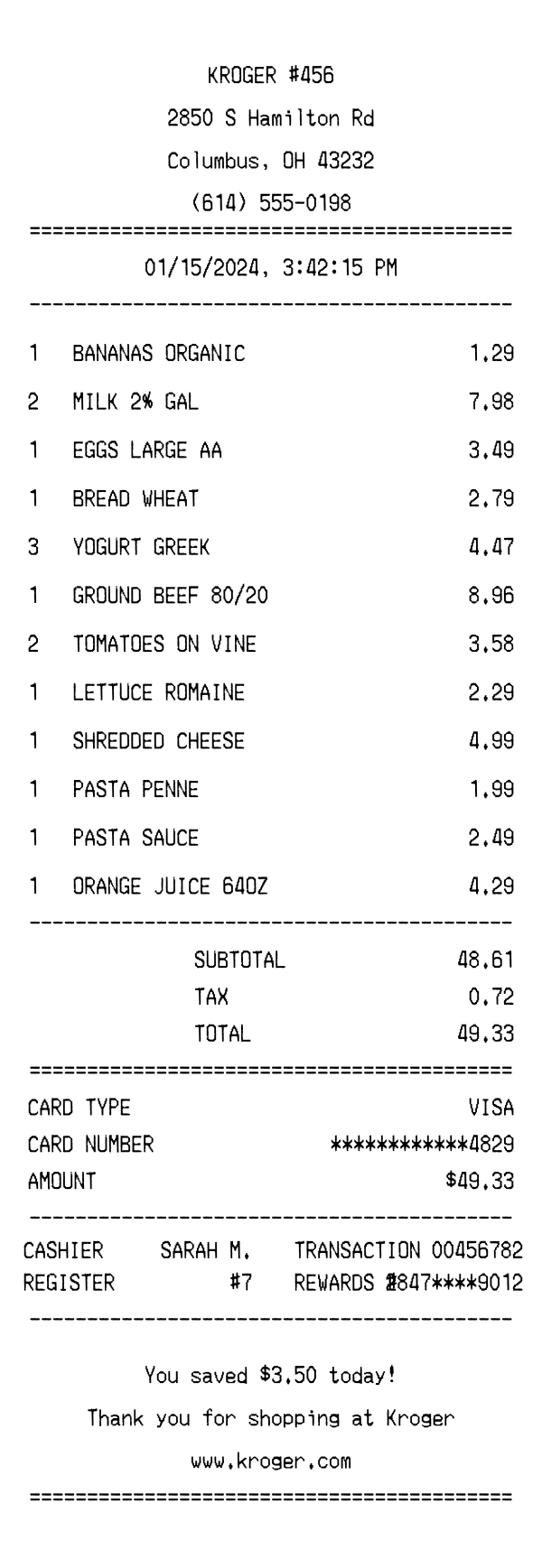
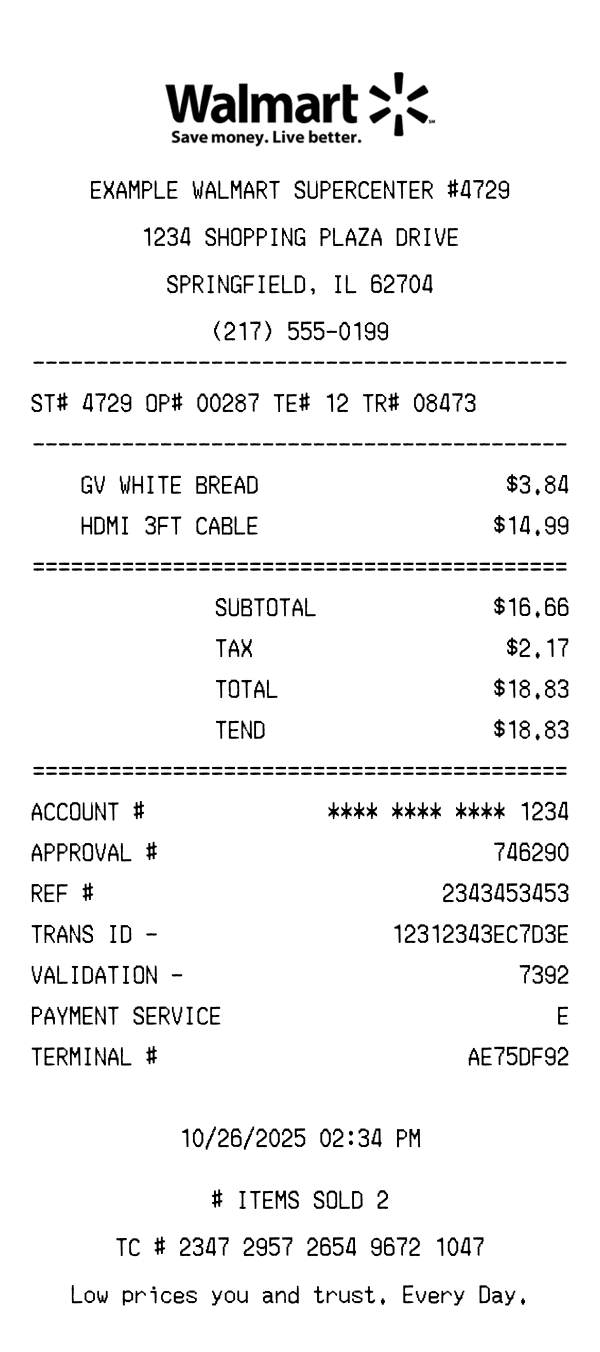
| Feature | Publix | Kroger | Walmart |
|---|---|---|---|
| Store branding | Centered logo with 'WHERE SHOPPING IS A PLEASURE' tagline | Kroger logo with store address and fuel points branding | 'WALMART' header with Supercenter designation and store number |
| Savings display | Single savings total line in footer ('YOU SAVED $X.XX TODAY!') | Itemized savings per product plus cumulative total and fuel points earned | Savings shown per item with 'Was/Now' pricing on rollback items |
| Store-brand labeling | Items labeled 'Publix' or 'Greenwise' for organic store-brand products | Items labeled 'Kroger' or 'Simple Truth' for store-brand lines | Items labeled 'Great Value' or 'Marketside' for store brands |
| Customer survey | Survey URL (publixsurvey.com) printed in footer | Survey invitation with unique code for fuel point rewards | Survey URL (survey.walmart.com) with entry into sweepstakes |
| Tax handling | Single tax line; unprepared groceries tax-exempt in most FL locations | Tax broken out by category (food, non-food) with separate rates | Tax itemized by rate with category codes (T for taxable items) |
See also: Kroger Receipt Template · Walmart Receipt Template
Customize every detail — store info, items, prices, dates, and payment method. Download as PNG in seconds.